
Why WordPress security matters for GCC businesses
WordPress powers a large share of business websites in Qatar, the UAE, Saudi Arabia, Kuwait, Oman, and Bahrain. It is flexible, well supported, and easy to launch. It is also the most attacked content management system on the web, because a single unpatched plugin can expose thousands of sites at once.
Attackers do not need to target you specifically. Automated bots scan the entire internet every day looking for known vulnerabilities in popular plugins such as Elementor, WooCommerce, Contact Form 7, and Yoast SEO. When a match is found, the site is compromised within minutes. The damage ranges from defaced pages and stolen customer data to full server takeover and ransomware.
For a business in the GCC, the cost is not only technical. Qatar's Personal Data Protection Law (PDPL), the UAE's data protection framework, and similar rules in Saudi Arabia impose real penalties for exposing customer data. A breach can cost far more than the price of preventing it. That is why a regular, honest security check is no longer optional.
What the free check looks for
Our scanner inspects a public WordPress site without needing login access. It detects:
- The WordPress core version and whether it is affected by known CVEs published through 05 Nov 2026.
- Installed plugins and themes, matched against a curated vulnerability database of more than 80 entries covering Elementor, WooCommerce, Contact Form 7, WPForms, Wordfence, Yoast SEO, and many others.
- Common misconfigurations: exposed wp-config.php backups, reachable debug.log, open xmlrpc.php, user enumeration through the REST API, directory listing on uploads, missing HTTPS, outdated PHP, default admin username, and reachable install.php.
- A future-risk watchlist naming every detected component that should be monitored for newly disclosed CVEs.
Each finding carries a severity (critical, high, medium, or low), the affected version range, the fixed version, and a plain description of what it means for your business. The report ends with a risk score so you can track improvement over time.
How to run the assessment yourself
You do not need to hire anyone to start. The tool is free and self service. Follow these steps.
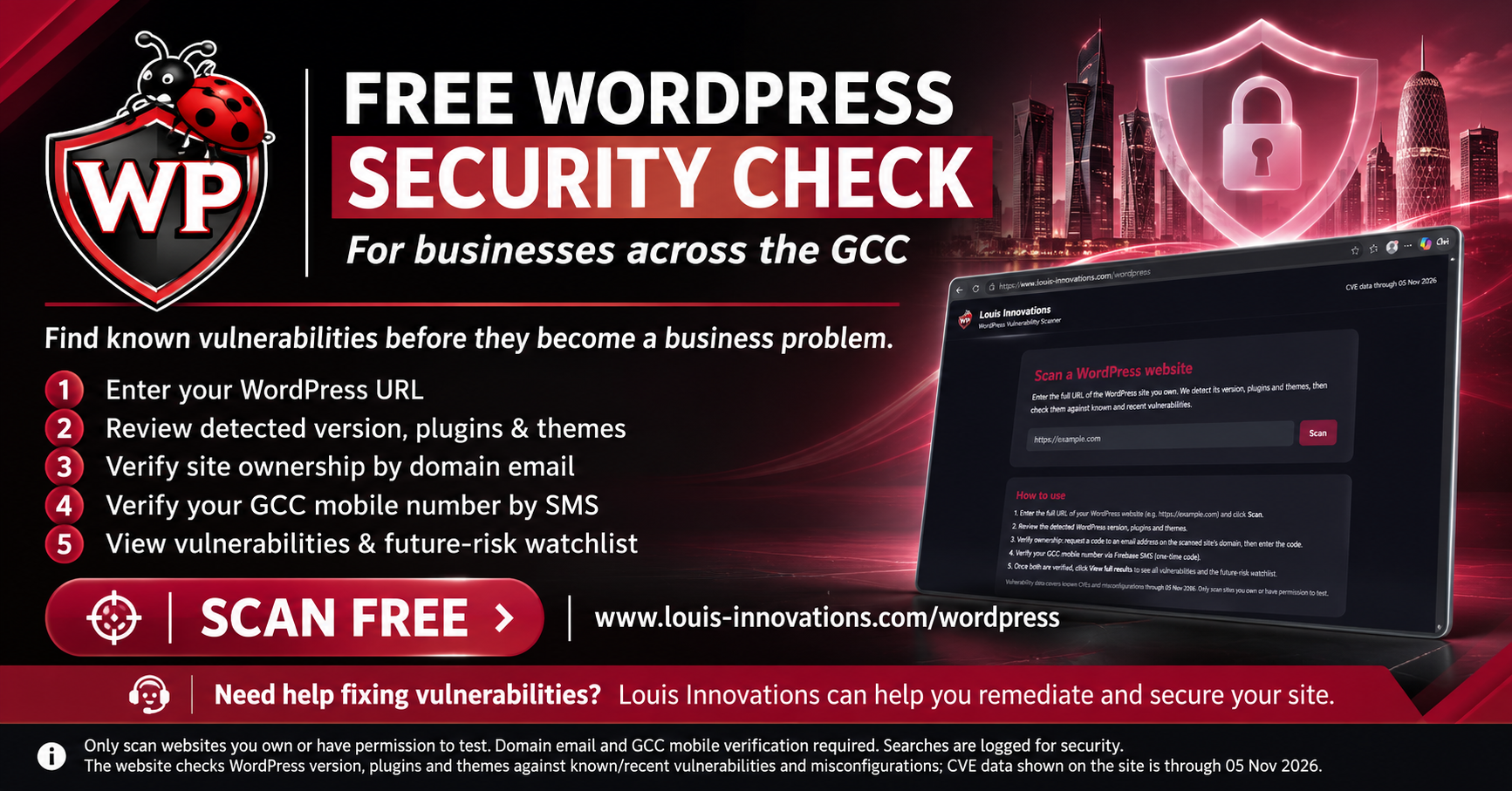
- Open https://www.louis-innovations.com/wordpress in your browser.
- Enter the full URL of your WordPress website, for example https://example.com, and click Scan.
- Review the detected WordPress version, plugins, and themes, plus the count of potential findings.
- Verify that you own the site. Request a one-time code to an email address whose domain matches the scanned site's domain, then enter the code. This proves ownership and prevents abuse.
- Verify your GCC mobile number through a one-time SMS code sent via Firebase. This ties the report to a real person in the region.
- Once both steps are complete, click View full results to see every vulnerability, the misconfiguration findings, and the future-risk watchlist.
- Save or print the report for your records. Repeat the scan after any plugin update or theme change.
The full results are only shown after both ownership checks pass. There is no bypass, because a vulnerability report in the wrong hands is a roadmap for an attacker.
Our ground rules for ownership verification
We take verification seriously. These are the rules we apply to every scan, with no exceptions.
- The email address must be on the same domain as the scanned website. A scan of example.com requires an address like you@example.com. This prevents someone from scanning a site they do not control.
- The mobile number must be a GCC number from Qatar, the UAE, Saudi Arabia, Kuwait, Oman, or Bahrain, verified through Firebase SMS one-time code.
- Every search is logged with the IP address, browser details, scanned URL, and timestamp. This audit trail protects site owners and discourages misuse.
- Results are only released to the verified owner of that domain. A user who verified example.com cannot view reports for anotherdomain.com.
- Scanning a site you do not own or have written permission to test is not allowed. Use the tool only on your own websites.
- The scan uses only public information. It does not attempt to log in, exploit a vulnerability, or modify anything on your site.
These rules exist so that a tool meant to help defenders cannot be turned into a weapon against someone else's business.
What happens after the scan
A scan tells you what is wrong. Fixing it is the part that protects you. Louis Innovations offers cybersecurity services across the GCC that cover the full remediation path.
- Patching WordPress core, plugins, and themes to fixed versions.
- Removing or replacing abandoned plugins that will never receive a fix.
- Hardening server and PHP configuration, disabling xmlrpc.php, and closing user enumeration.
- Implementing a web application firewall and HTTPS enforcement.
- Setting up monitoring, backups, and an incident response plan.
- Qatar PDPL and regional compliance support, including data mapping and breach notification procedures.
We are based in Doha with a team of more than 20 professionals, certified in CISSP, CEH, and AWS Security. We work in Arabic and English, and we can respond on site when an incident is urgent. Most clients start with a free scan, then engage us for the remediation work that the scan reveals.
Frequently asked questions
Is the WordPress security check really free? Yes. Anyone can run a scan and, after verifying ownership, view the full report at no cost. There is no paid tier and no upsell gate on the results themselves. You pay only if you choose to hire us for remediation.
How often should I scan my WordPress site? Run a scan after every plugin or theme update, and at least once a month. New CVEs are published weekly, so a monthly habit keeps you ahead of automated attacks.
Does the scan modify my website? No. The scanner only reads public pages and checks HTTP responses. It never logs in, writes data, or attempts exploitation.
What if my site is not WordPress? The scanner detects non-WordPress sites and reports that clearly. You still get a record of the scan, but no vulnerability findings are produced.
Can I scan a staging or development site? Yes, as long as you own it and can verify ownership through a matching email domain.
Do you help with compliance in Qatar and the GCC? Yes. We support Qatar PDPL, UAE data protection rules, and sector-specific requirements, including the technical controls and documentation needed for audits.
Get started today
Do not wait for a breach to find out your site is exposed. Run your free WordPress security check now at https://www.louis-innovations.com/wordpress, then contact us on WhatsApp at +974 7025 9259 to discuss fixing what the scan finds. Louis Innovations is a Meta Verified Tech Provider based in Doha, serving businesses across Qatar, the UAE, Saudi Arabia, Kuwait, Oman, and Bahrain since 2013.